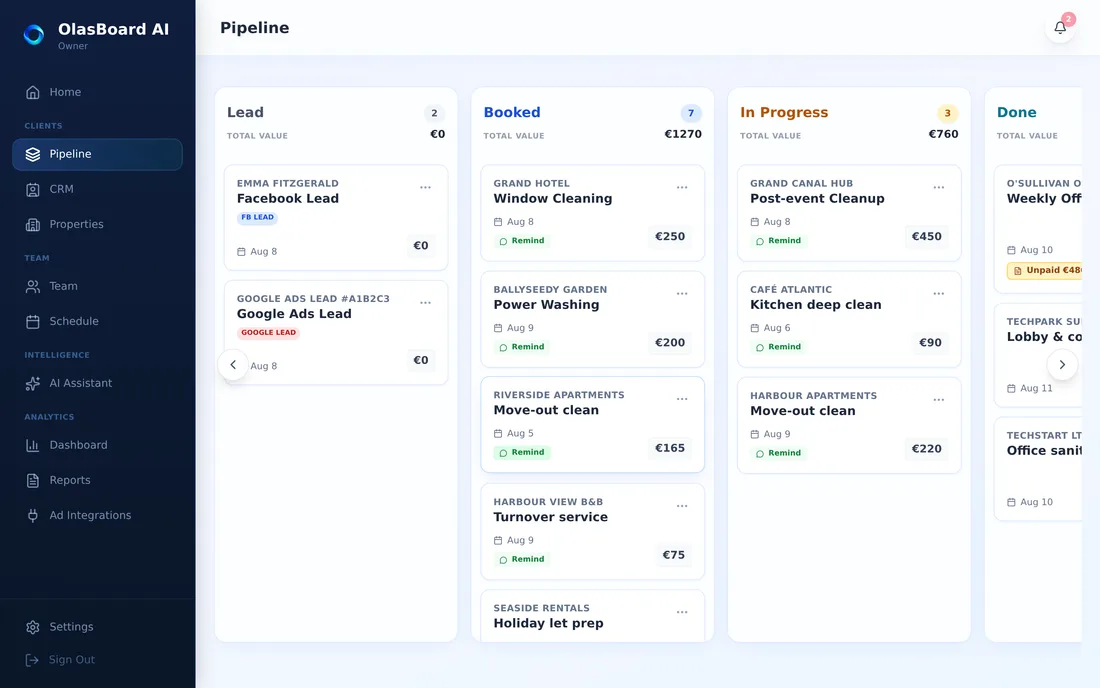
Visual job pipeline
Lead → Booked → In Progress → Done → Paid. Drag a job across, and everything downstream follows.
A call about water coming in and a quote for the whole roof live in the same pipeline. Photos, materials and hours sit on the job, and the invoice comes off it when the work is done.
No card required · Cancel in one click
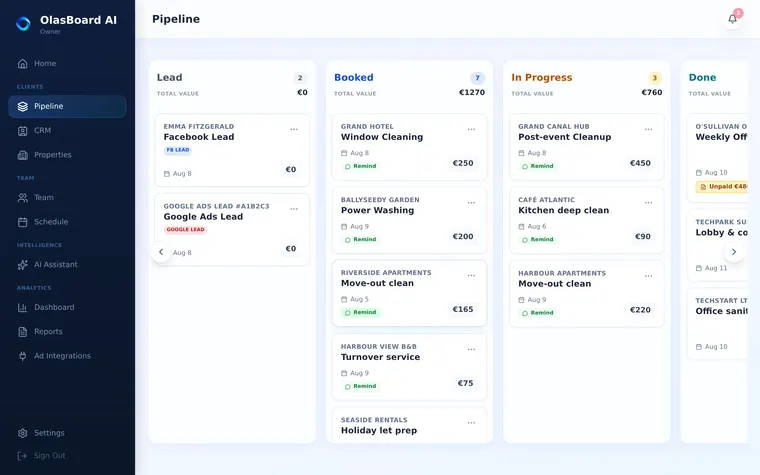
The enquiry lands as a lead. The quote goes out as a PDF from the van, with your line items and terms, and stays in the pipeline until it is accepted or lost.
Offer the job. Everyone free sees it at once, the first person takes it, and nobody can take one that overlaps a job they already hold.
Photograph the receipt and put the cost against the job. A re-roof then has a margin, not a feeling that it went well.
Move the job and the person on it sees the new day. Work that was rained off can be offered again to whoever has room.
Seats come with the plan. Seasonal help costs you wages, not another software login.
The invoice builds from the finished job, with your VAT number and rate, and goes out by email or WhatsApp before you leave the street.
Everything else follows from that. If you cannot see it, you cannot price it, chase it, or tell who is carrying the work.
Most tools tell you what somebody typed into them. These figures come off the work itself: the moment a job was taken, the moment it was started, the moment it was finished, the hours that fall out of that, and the photos attached while the person was standing there.
Nobody writes their own report card. That is the difference between a dashboard you believe and one you argue with.
Per-person performance reporting is on the Business plan. Job records, timings and photo proof are on every plan.
For anyone running a crew
The job goes to the whole crew at once and the first person free takes it. No calls, no group chat you have to keep track of afterwards.
Client, address, time, price. Thirty seconds, from the van.
One offer to everyone instead of five messages sent one at a time. Their phone buzzes.
Exactly one person gets it, however many tap at once - and nobody can take a job on top of one they already have.
It shows who took it. If nobody does, you hear about it in hours, not on the day.
Most tools in this category price per user, and “user” means anyone with a login - your crew, your subcontractors, the person in the office. The bill grows every time you hire.
Here the seats come with the plan. €99 a month covers up to 20 people, and the price is the same whether 20 of them are working today or two.
Stop paying for five tools that do not talk to each other.
Lead → Booked → In Progress → Done → Paid. Drag a job across, and everything downstream follows.
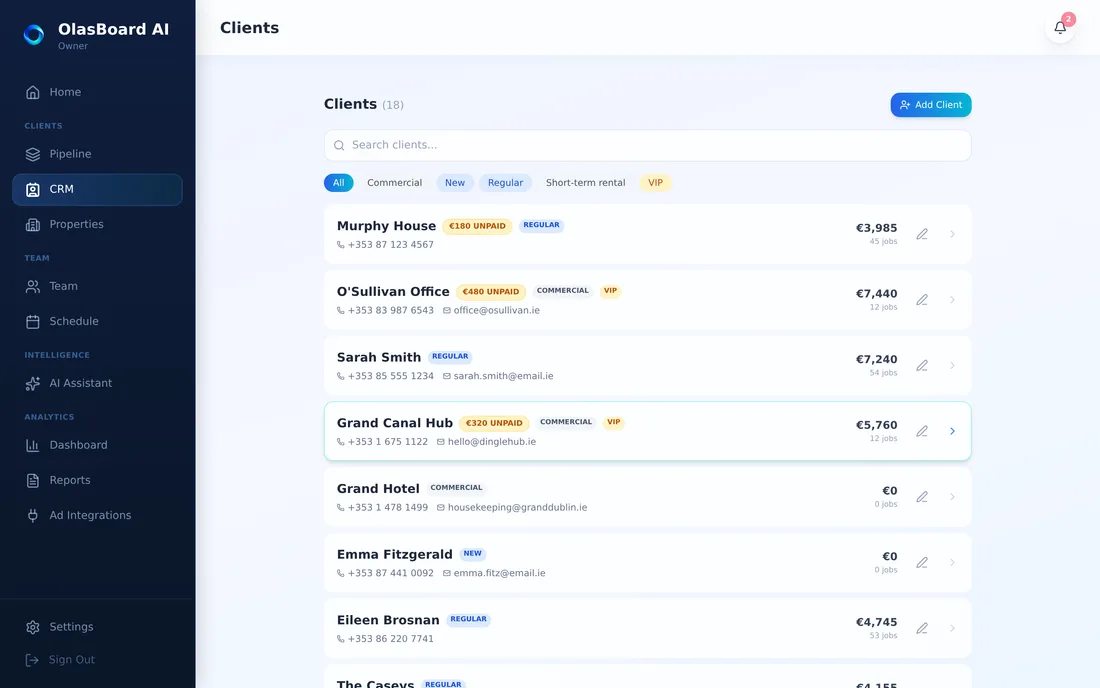
Every job, quote and invoice against the client, with what they still owe you on the same screen.
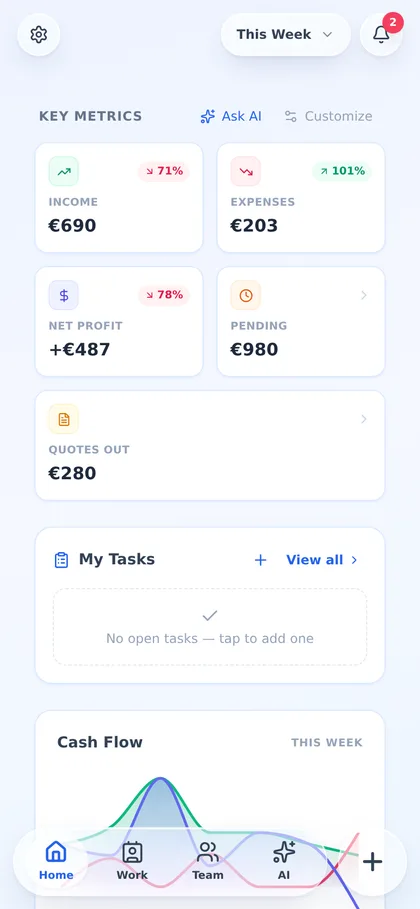
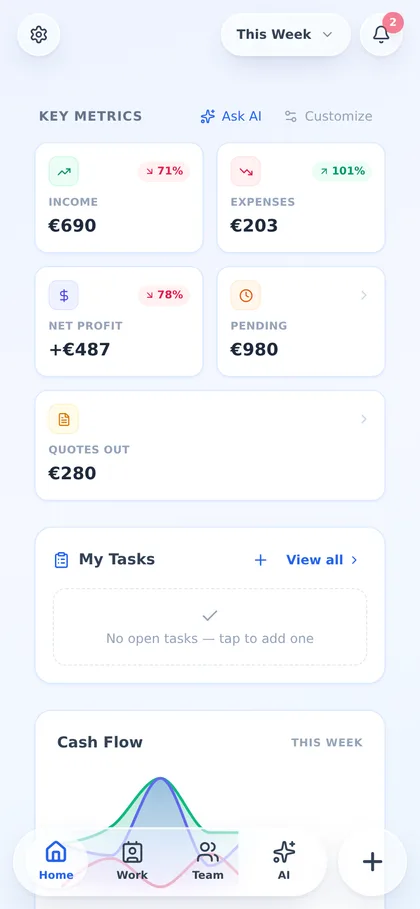
Income and expenses, split by job or general, receipts photographed and attached as you go.
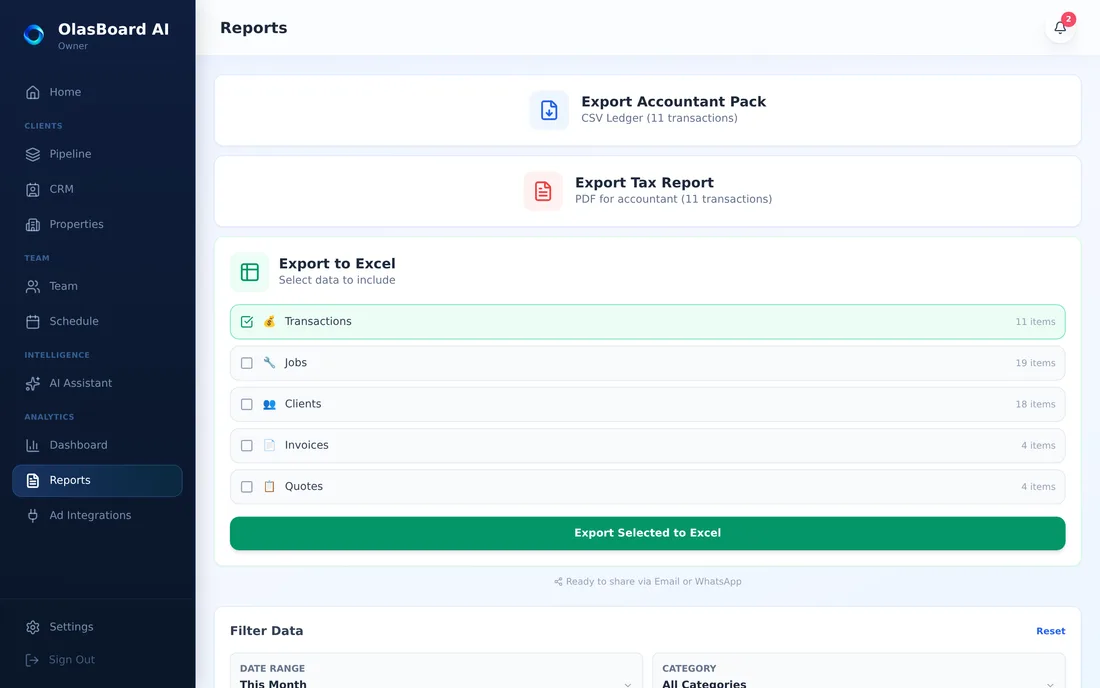
Tax report, profit by job and client, exported to Excel, CSV or PDF at the end of the quarter.
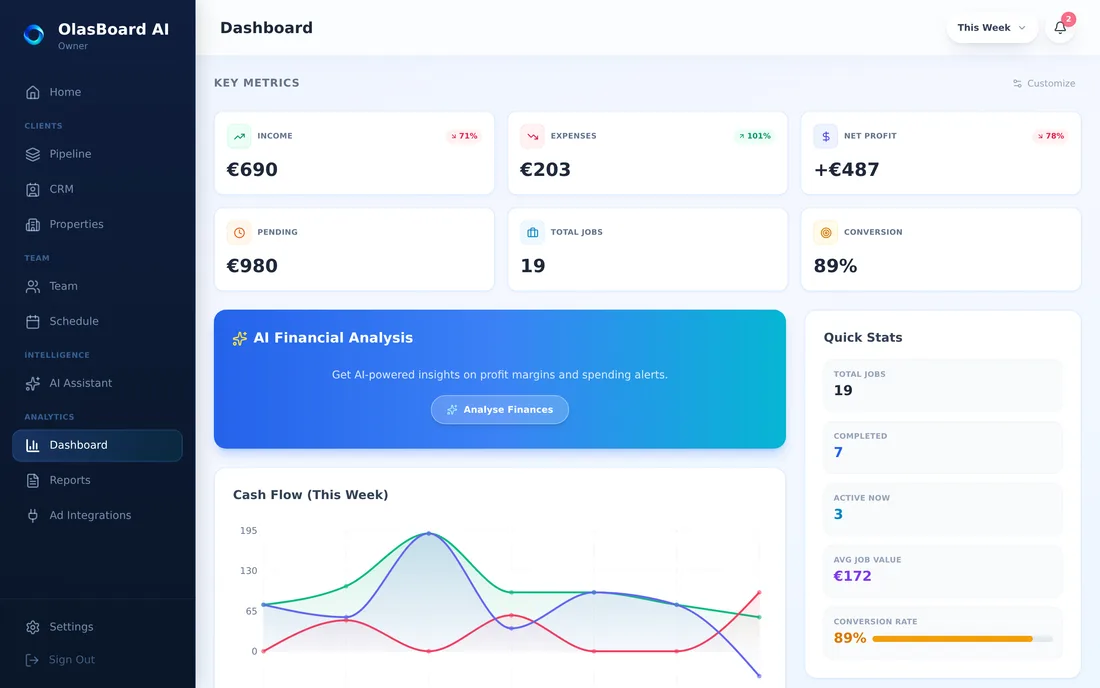
Revenue, expenses and profit by day, week, month or year - so a bad week reads as a bad week, not a crisis.
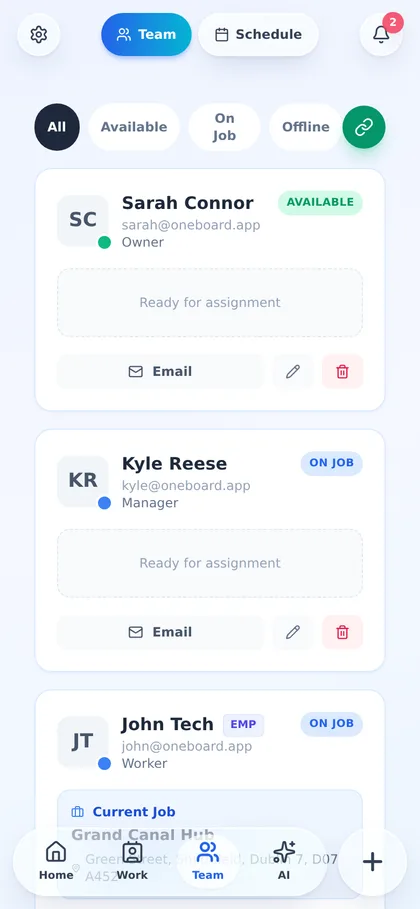
Invite people, set what they can see, and let workers claim jobs, run a timer and upload proof from their own phones.
The parts that save the evenings - all in the app today, on your phone.
Connect your own Stripe account once and every invoice that still owes money carries a pay link - card, Apple Pay or Google Pay. When the client pays, the invoice settles itself and the job moves to Paid.
Your business name, VAT number and rate on every invoice and quote, and your legal name at the foot - "John Smith trading as Apex Cleaning" - on screen and in the PDF.
Tomorrow’s jobs the evening before, each job a couple of hours before it starts, one brief in the morning. Unpaid invoices chased on a schedule on Autopilot and above.
Paste your review link once. A couple of hours after a job is done the app suggests asking that client, with the message written - once per client, never while their invoice is late.
One press tells the client you are on the way and roughly when you will arrive. When the job is finished, the before and after photos go to them as one picture.
It opens with what needs doing - the overdue invoices with reminders written, the enquiries nobody has answered. You read each message and press send; it never sends on its own.
A lead from your website form or your ads gets a reply drafted from your own prices, areas and hours. Send it with a tap, or let the email go by itself.
On the Business plan, up to three businesses under one login - each with its own clients, jobs and invoices, and one overview with the totals of all of them.
Coming soon
Built in, not sold separately
It sees your pipeline, your invoices, your expenses and your crew - and answers the questions a good business partner would.
Ask by typing, by voice, or by photographing a receipt. It can book a job, write a quote or an invoice, record a payment and file a cost — and it waits for your tap before it writes anything. It writes the reminder or the reply to a client, but never sends it - you read each one and press send. It does not delete. Included from the €19 plan, not held back for an enterprise tier.
14 days free on Autopilot, no card required. Change plan or cancel any time.
Work, instead of doing paperwork
€19/mo
€16/mo billed yearly
One person
The app does the chasing, not you
€49/mo
€41/mo billed yearly
Up to 5 people
Keep everyone pointed the right way
€99/mo
€83/mo billed yearly
Up to 20 people
See where the money leaks
€199/mo
€166/mo billed yearly
Up to 50 people
On every plan: VAT invoices and quotes, a pay link on each invoice for card, Apple Pay or Google Pay (with your own Stripe account), job reminders, Google review requests, and the AI assistant.
No. There is no area calculator and no material takeoff. You set the price. What it keeps is that price next to the hours and the materials the job actually used, so the next similar roof is priced from your own history.
Yes. Both are jobs in one pipeline, from the enquiry through to paid. A small repair does not need a different system from a full roof.
Assign it to someone, or offer it to everyone and let the first person free take it. Exactly one person gets it, and overlapping jobs are refused.
No. Warranties, building-control paperwork and manufacturer certificates stay with the schemes that issue them. This covers the quote, the schedule, the costs, the photos and the invoice.
No. Seats are included in the plan.
Yes. Crew screens stay hidden until you add someone. A sole trader who sells the job and then goes up the ladder is who it is built for first.
14 days of the Autopilot plan, free. No card, no call, no setup project - you can have your first quote out this afternoon.
Or try the demo logins first - they run on sample data and never touch a real account.